


Be U Visa Debit Card-i: How to Apply
March 1, 2024
Your experience matters to us. If you need any assistance during the Be U transition, you may reach out to our support channels based on the timeline below.
Until 30 September 2026, both Be U Community Support and Bank Islam Customer Care will be available to assist you. You can contact Be U Community Support at 03-2779 0088 or email beu.communitysupport@bankislam.com.my. Alternatively, you may also reach Bank Islam Customer Care at 03-2690 0900 or email contactcentre@bankislam.com.my.
From 1 October 2026 onwards, support will be handled solely by Bank Islam Customer Care at 03-2690 0900 or contactcentre@bankislam.com.my.


Customers are advised to read and understand the Terms and Conditions available at our website www.bankislam.com before agreeing to subscribe for any product or services and/or participating in any of our campaigns and promotions.

Copyright © Be U by Bank Islam
Bank Islam Malaysia Berhad. 198301002944 (98127-X)
All right reserved




March 1, 2024
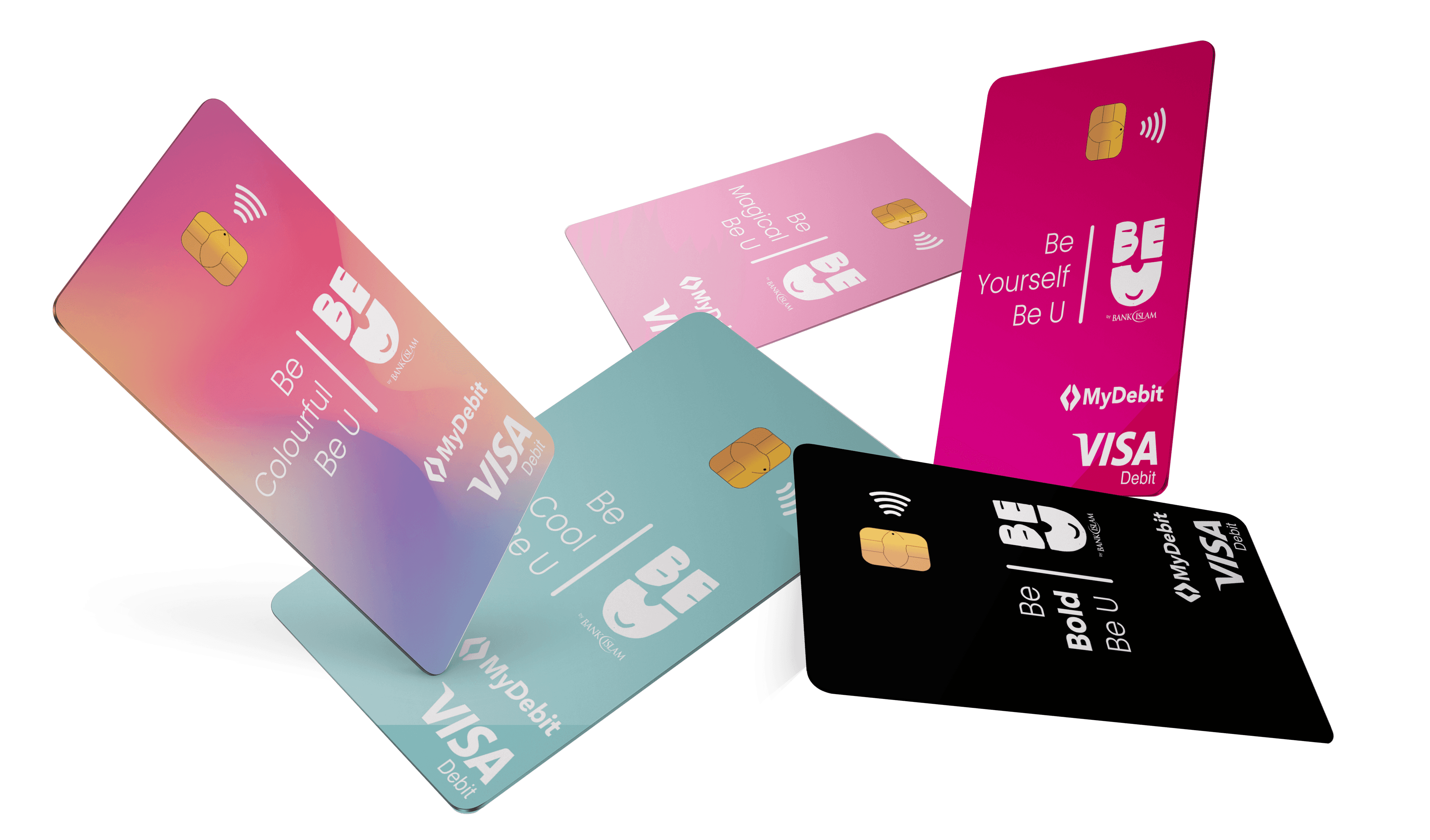
The exciting aspect about Be U Visa Debit Card-i is that it is automatically synced with Be U app! This allows you to gain a better understanding of your spending habits with the help of our Be U expense tracker.
Be U helps you understand your spending habits by categorising your purchases automatically. This way, you will always know where your money is going. Spend less time organising and more time reaching your financial goals!
Enjoy a branchless process of applying, activating, and managing your Be U Visa Debit Card-i, at your own time and from the comfort of your own home.
So, how to apply for the Be U Visa Debit Card-i?
Here is the process:
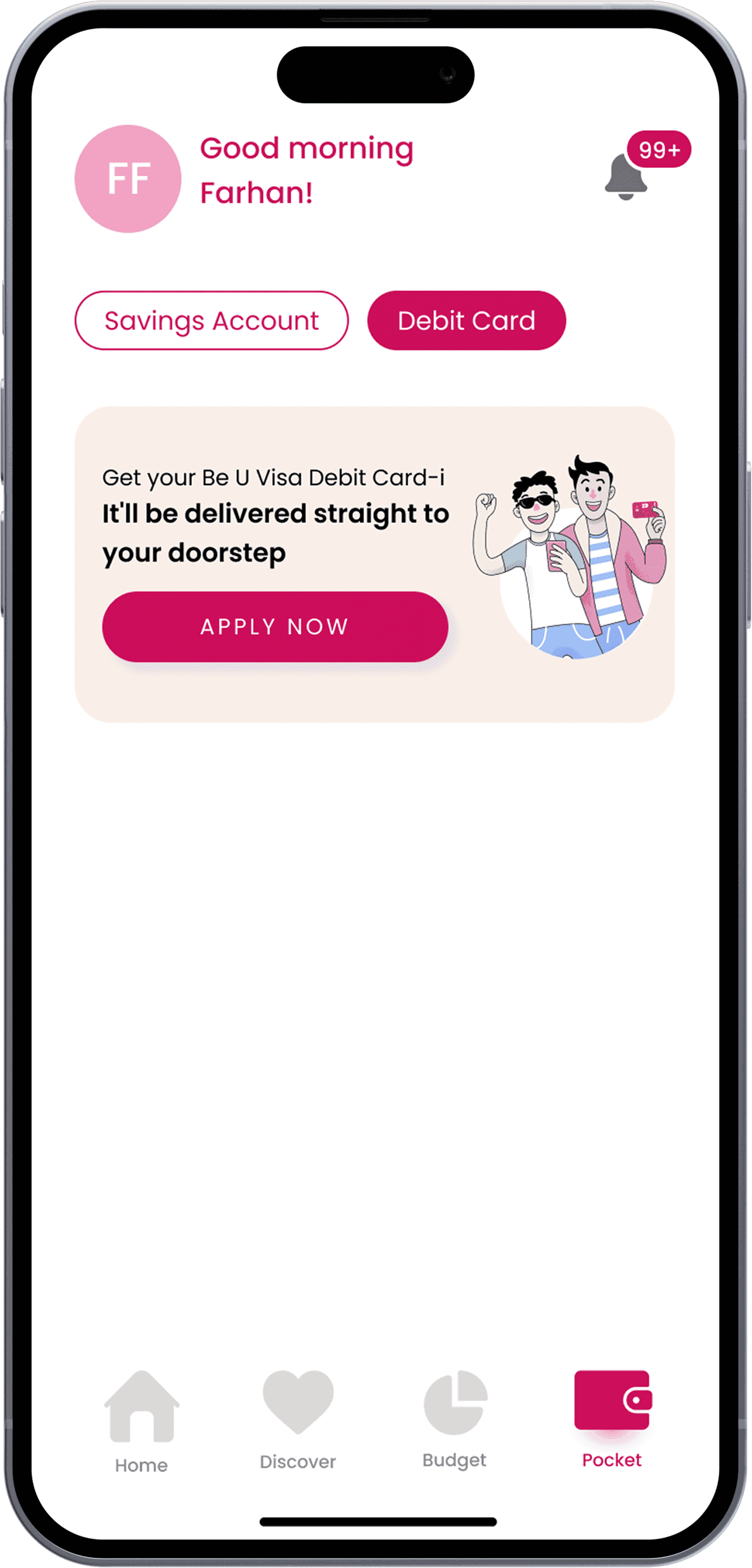
Start your adventure by launching the Be U app, navigating to the Pocket screen, and clicking on 'Apply Now' within the in-app banner for the Be U Visa Debit Card-i.
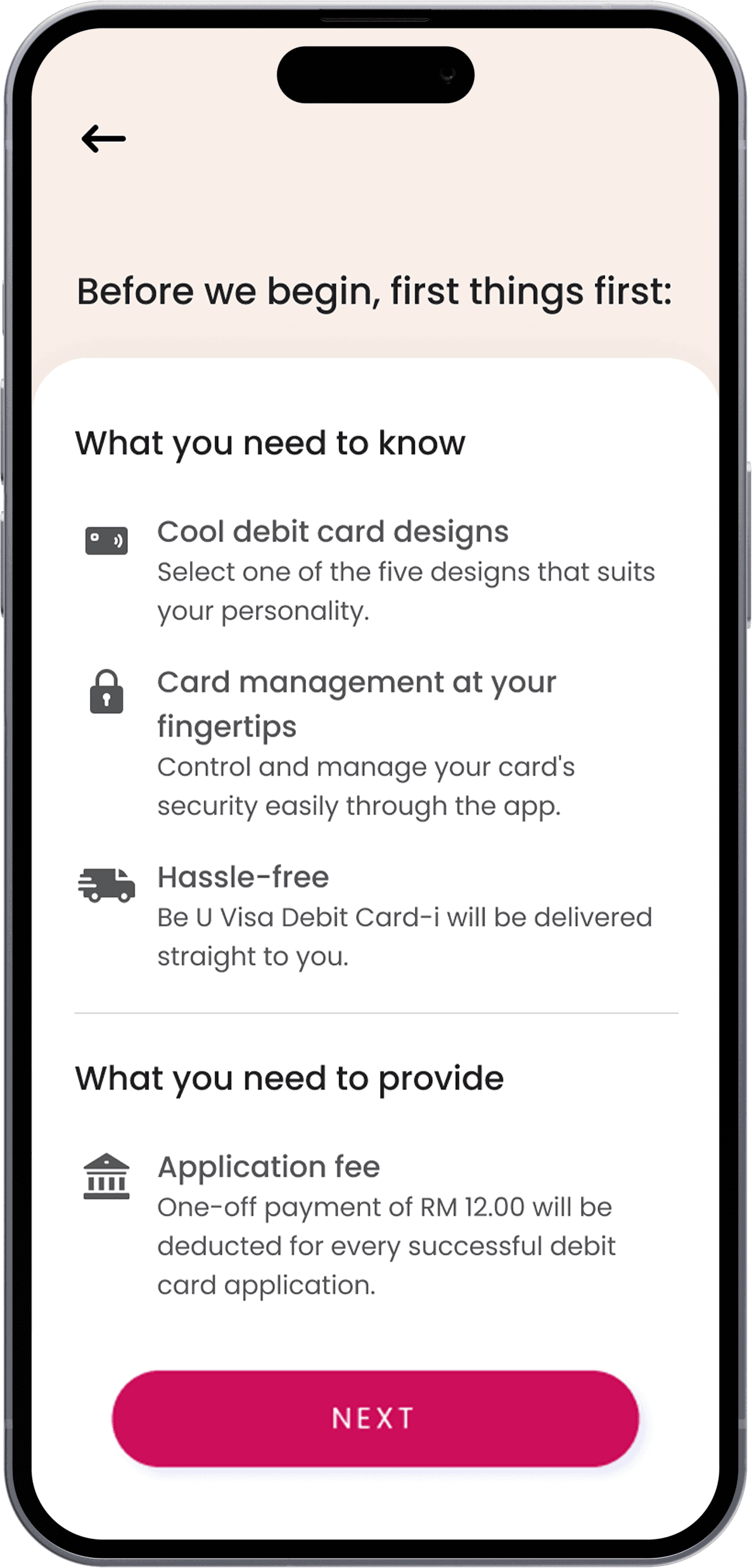
Then, please make sure you read and understand the Terms and Conditions.
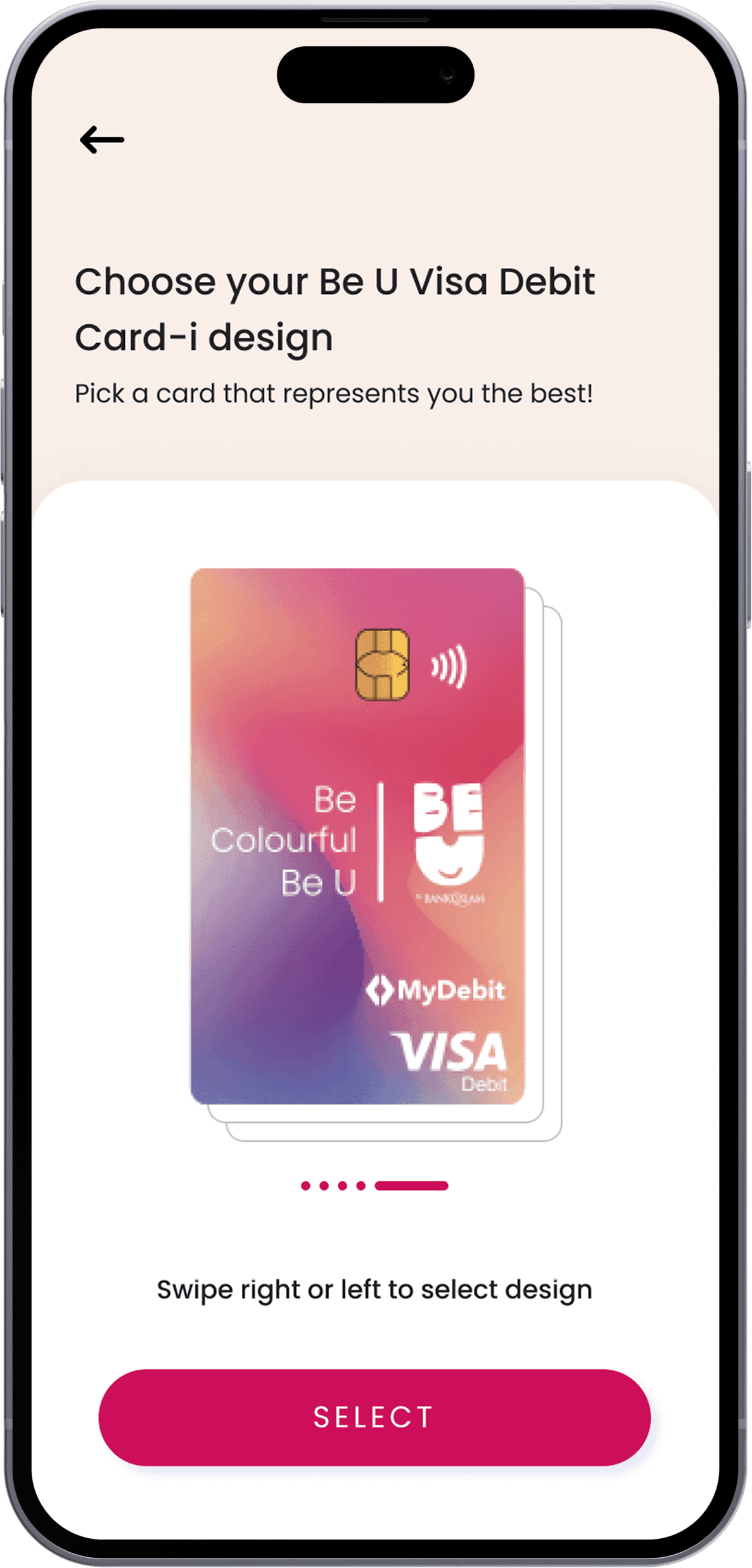
Choose your desired Be U Visa Debit Card-i design from our dazzling array of options. Take your pick from five striking designs available that reflect your style.
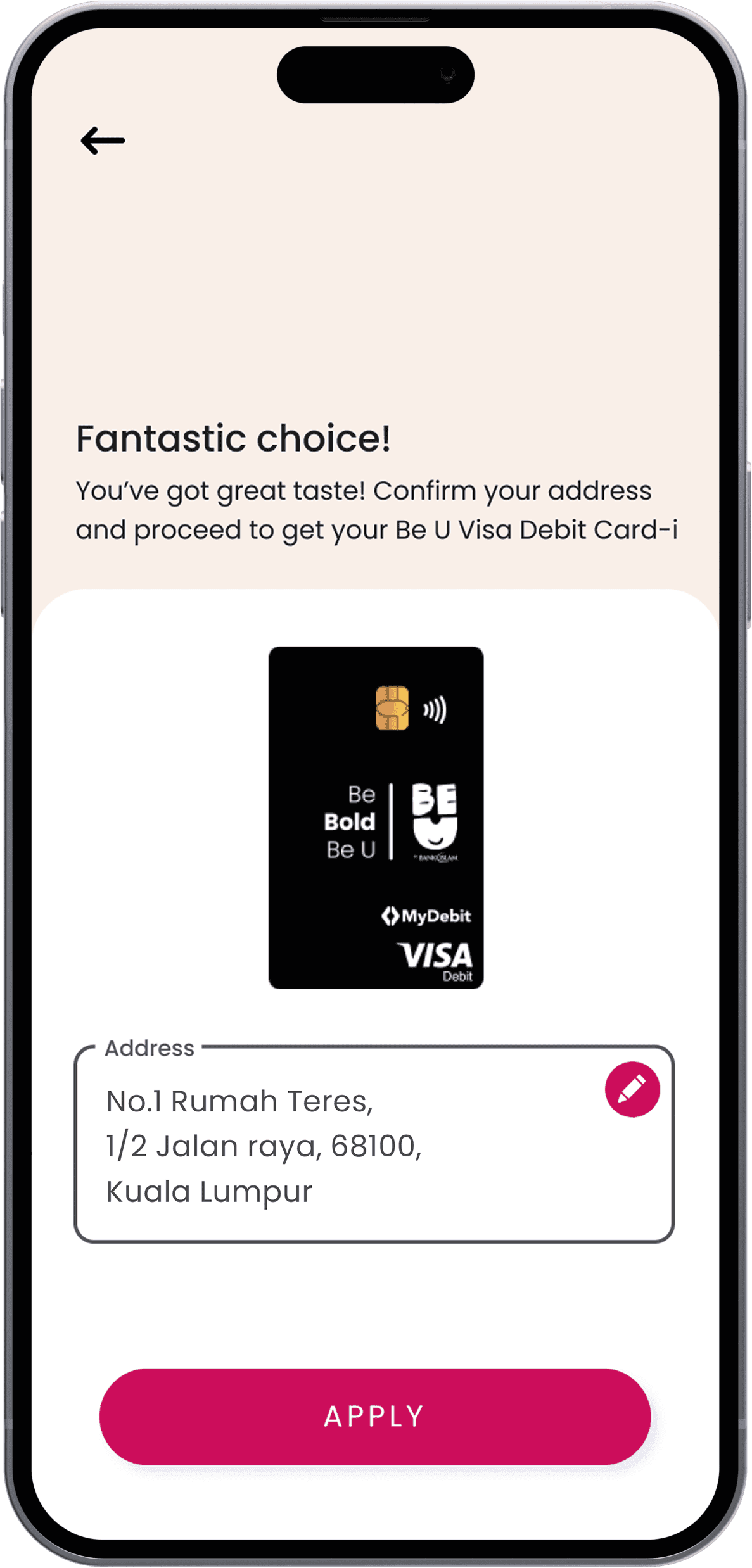
Confirm your mailing address to ensure that your card reaches the right destination. With that sorted, tap 'Apply' to set the wheels in motion.
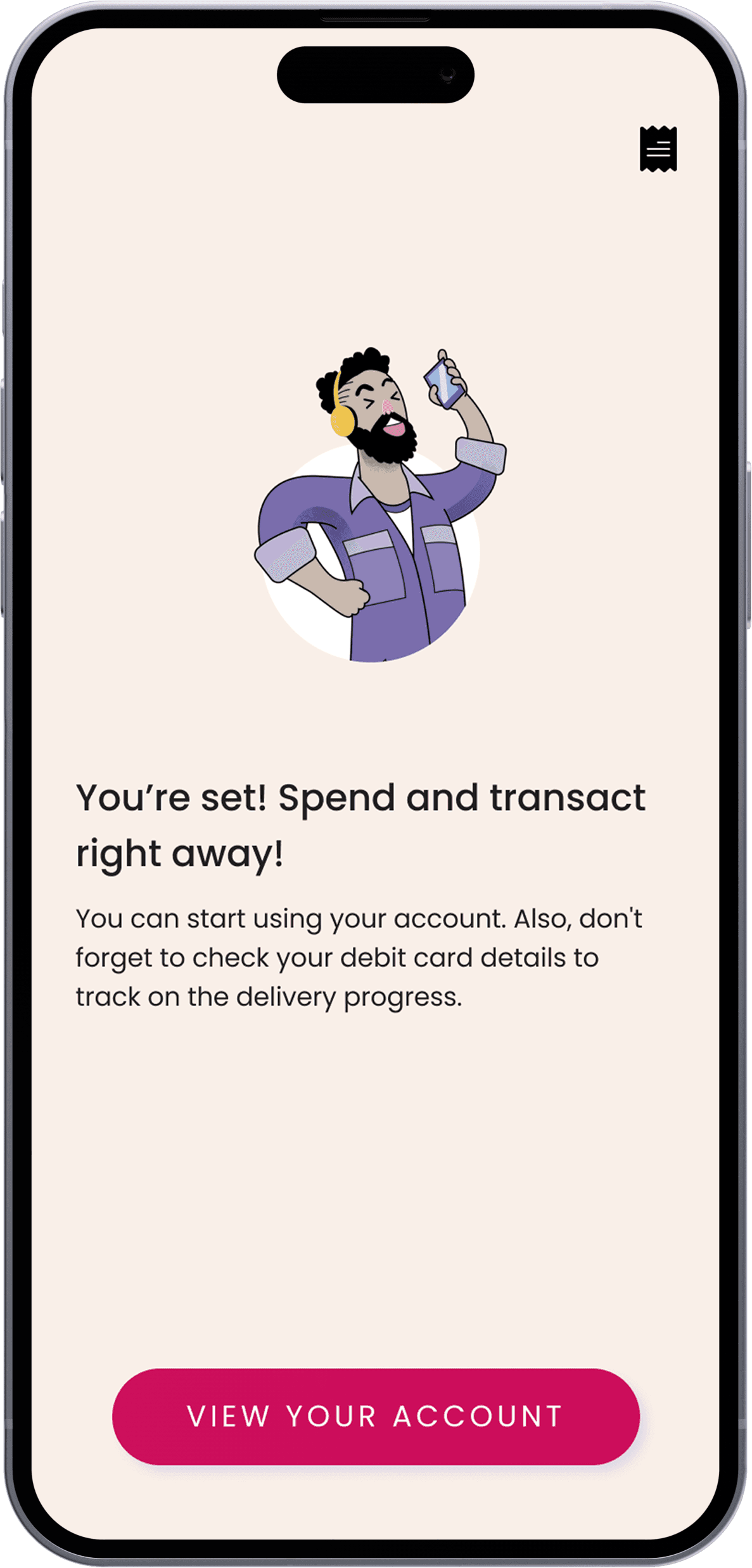
And there you have it—Congratulations! You have successfully applied for your Be U Visa Debit Card-i. Await its grand arrival at your doorstep and get ready to activate it through the Be U app.
Disclaimer: The information presented above is for educational and informational purposes only and it should not be considered as personalized financial planning services. It is not intended as financial, legal, accounting, tax, or any other advisory guidance. Prior to making any financial or other decisions, you must obtain your own independent advice tailored to your individual circumstances.
As part of your decision-making process, you are advised to read the applicable Terms and Conditions (T&C), Product Disclosure Statement (PDS) and Frequently Asked Questions (FAQ) to make informed decisions before subscribing and/or participating in any Be U products.